ACCOUNTING SOFTWARE FOR IRISH BUSINESSES

Compare Accounting Software for Irish Businesses

Compare accounting software for Irish businesses, from invoicing and VAT tools to bank feeds, payroll integrations and accountant access.

Compare accounting software

Compare accounting software providers

Four accounting packages actively sold to businesses in Ireland, compared on their published plans, prices and features. Providers are listed alphabetically. Stuama.ie is not a partner of any provider listed, and inclusion is not a recommendation.

  • Big Red Cloud

    Irish accounting software sold as one all-in-one plan, with unlimited users and Irish support and training.

    Standard price
    All-in-One Accounting: €60 a month.
    Current new-customer offer
    €30 a month for the first 12 months.The standard price applies after the offer.
    Plans and users
    One plan with unlimited users, including access for your accountant and team.
    Key features
    • Sales invoicing, with mobile invoicing
    • Purchase invoices and receipt capture
    • Bank connections and reconciliation; named banks include AIB, Bank of Ireland, PTSB and Revolut
    • VAT return preparation and management
    • Management accounts
    Worth checking
    Payroll and multi-currency are not listed in the features we checked. Ask Big Red Cloud if you need either.

    View Big Red Cloud pricing (external site)

  • QuickBooks

    Four plans, from a one-user starter plan to Advanced for up to 25 users.

    Standard price
    • Simple Start: €21 a month
    • Essentials: €31 a month
    • Plus: €45 a month
    • Advanced: €75 a month
    Current new-customer offer
    90% off for 6 months: €2.10, €3.10, €4.50 and €7.50 a month respectively.The standard price applies after the offer.
    Plans and users
    • Simple Start: 1 user plus your accountant
    • Essentials: up to 3 users plus your accountant
    • Plus: up to 5 users plus your accountant
    • Advanced: up to 25 users
    Key features
    • Invoices, quotes, VAT tracking and reports on every plan
    • Bank feeds; named banks include AIB, Bank of Ireland, Fire, Revolut and TransferWise
    • Essentials adds bills and multi-currency
    • Plus adds recurring transactions, inventory and budgets
    • Advanced adds more advanced permissions, reporting and workflows
    Worth checking
    Multi-currency starts on Essentials and inventory on Plus. Payroll is not listed in the plan features we checked.

    View QuickBooks pricing (external site)

  • Sage

    Two Sage Accounting plans: a one-user Start plan and a fuller plan with unlimited users.

    Standard price
    • Accounting Start: €19 a month + VAT
    • Accounting: €37 a month + VAT
    Current new-customer offer
    90% off for the first 3 months.The standard price applies after the offer.
    Plans and users
    • Accounting Start: one user
    • Accounting: unlimited users
    Key features
    • Start: create and send invoices, track money owed, automatic bank reconciliation, and calculate and create VAT returns
    • Accounting adds quotes and estimates, purchase invoices, receipt and invoice capture, cash-flow forecasting and advanced reports
    • Accounting also adds multi-currency banking and invoicing, and inventory
    Worth checking
    Payroll can be added separately; it is not part of the accounting subscription. Start is limited to one user.

    View Sage Accounting pricing (external site)

  • Xero

    Starter, Standard and Premium plans, with VAT 3 and RTD preparation for Irish VAT.

    Standard price
    See Xero’s Irish pricing page (external site).Xero publishes its Irish subscription prices in a currency other than euro, so Stuama.ie does not reproduce them. Xero has announced price changes from 1 November 2026.
    Current new-customer offer
    80% off for the first 3 months for new customers in Ireland.The standard price applies after the offer.
    Plans and users
    • Starter, Standard and Premium
    • Standard adds bulk reconciliation and budgeting
    • Premium adds multi-currency
    Key features
    • Invoices and quotes
    • Bank feeds and reconciliation
    • Real-time reports
    • VAT calculated on invoices, bills and quotes, with Irish VAT rates
    • VAT 3 and RTD preparation, exported for submission through ROS
    • Collaboration with your accountant or bookkeeper
    Worth checking
    Check the price on Xero’s own site before subscribing, as prices change from 1 November 2026. Multi-currency is on Premium only. Payroll is not listed in the features we checked.

    View Xero pricing (external site)

Prices and features checked on 28 September 2026. Providers can change their plans, pricing and features. Check the provider’s own website before subscribing. Sage lists its prices plus VAT. Stuama.ie shows prices in euro only; Xero’s Irish pricing page publishes its prices in US dollars, so no Xero price is shown. Offers are for new customers and are shown separately from standard prices.

Accounting software features side by side

The same four providers, compared on the features Irish small businesses ask about most. Where a feature depends on the plan, the table names the plan it starts on.

Accounting software features by provider, checked 28 September 2026
Feature Big Red Cloud QuickBooks Sage Xero
Lowest standard price €60 a monthOne plan €21 a monthSimple Start €19 a month + VATAccounting Start See Xero’s Irish pricing page (external site)
New-customer offer €30 a month for 12 months 90% off for 6 months 90% off for 3 months 80% off for 3 months
Users Unlimited 1 to 25, by plan 1 on Start; unlimited on Accounting Unlimited users
Invoicing and quotes Invoicing, including mobile invoicing Invoices and quotes Invoices; quotes on Accounting Invoices and quotes
Bank feeds and reconciliation Bank connections and reconciliation Bank feeds Automatic bank reconciliation Bank feeds and reconciliation; bulk reconciliation on Standard
VAT VAT return preparation and management VAT tracking Calculates and creates VAT returns VAT 3 and RTD preparation, exported for ROS
Accountant access Accountant and team access Accountant user on Simple Start, Essentials and Plus Not confirmed Accountant and bookkeeper collaboration
Multi-currency Not confirmed Essentials and above Accounting plan Premium
Inventory Not confirmed Plus and above Accounting plan Not confirmed
Payroll Not confirmed Not confirmed Separate add-on Not confirmed
Support Irish support and training Not confirmed Not confirmed Not confirmed

A dash means the feature was not confirmed in the official sources we checked on 28 September 2026, not that it is unavailable. Ask the provider about anything you rely on, such as payroll, a mobile app or support hours.

Choosing accounting software for your business

Start with how you work today: who raises invoices, who pays bills, how often you do the books, and what your accountant needs at year end. Then compare plans on the features you would actually use.

Business size and volume

A business sending a handful of invoices a month has different needs from one with hundreds of sales and supplier bills. Check any limits on invoices, bills or transactions before you pick an entry-level plan.

Sole trader or limited company

A limited company produces annual financial statements, so full double-entry records and good reports matter more. Many sole traders need little more than invoicing, expenses and bank matching; our guide for sole traders separates the essentials from the extras.

Number of users

Count everyone who needs a login: owners, staff who raise invoices, a bookkeeper and your accountant. Entry plans are sometimes single-user, and user limits are a common reason to upgrade.

Accountant or bookkeeper access

If someone else does your books or year-end accounts, check that they can log in to the same file, whether their login counts towards your user limit, and whether they already use the package.

VAT registration

If you are registered for VAT, you need VAT on every invoice and bill, at the right rate, and reports that match your VAT returns. See accounting software for Irish VAT below.

Payroll

Accounting software and payroll software are often separate products. If you employ staff, check how payroll is handled and how wages and deductions get into your accounts.

Stock and inventory

Retailers, wholesalers and makers who track stock need inventory on their plan. It is often only on the mid or upper tiers.

Multi-currency

If you invoice customers in sterling or dollars, buy from overseas suppliers or hold a foreign-currency account, check that the plan handles other currencies for both invoices and bank accounts. It is rarely on the cheapest plan.

Integrations

Look at the tools you already use: card payments, online shop, point of sale, payroll, expenses or a CRM. A direct connection saves re-keying and makes reconciliation quicker.

Reporting

At a minimum you want profit and loss, a balance sheet, aged debtors and a VAT report. Budgets, cash-flow forecasts and management accounts help once the business grows.

Ease of use

You will use the software every week. Use a trial or introductory offer to raise a real invoice, match a week of bank transactions and run a report before you commit.

Support

Check which support channels are included, their hours, and whether help is available locally. Setting up VAT codes and opening balances is when most businesses need it.

What accounting software can do

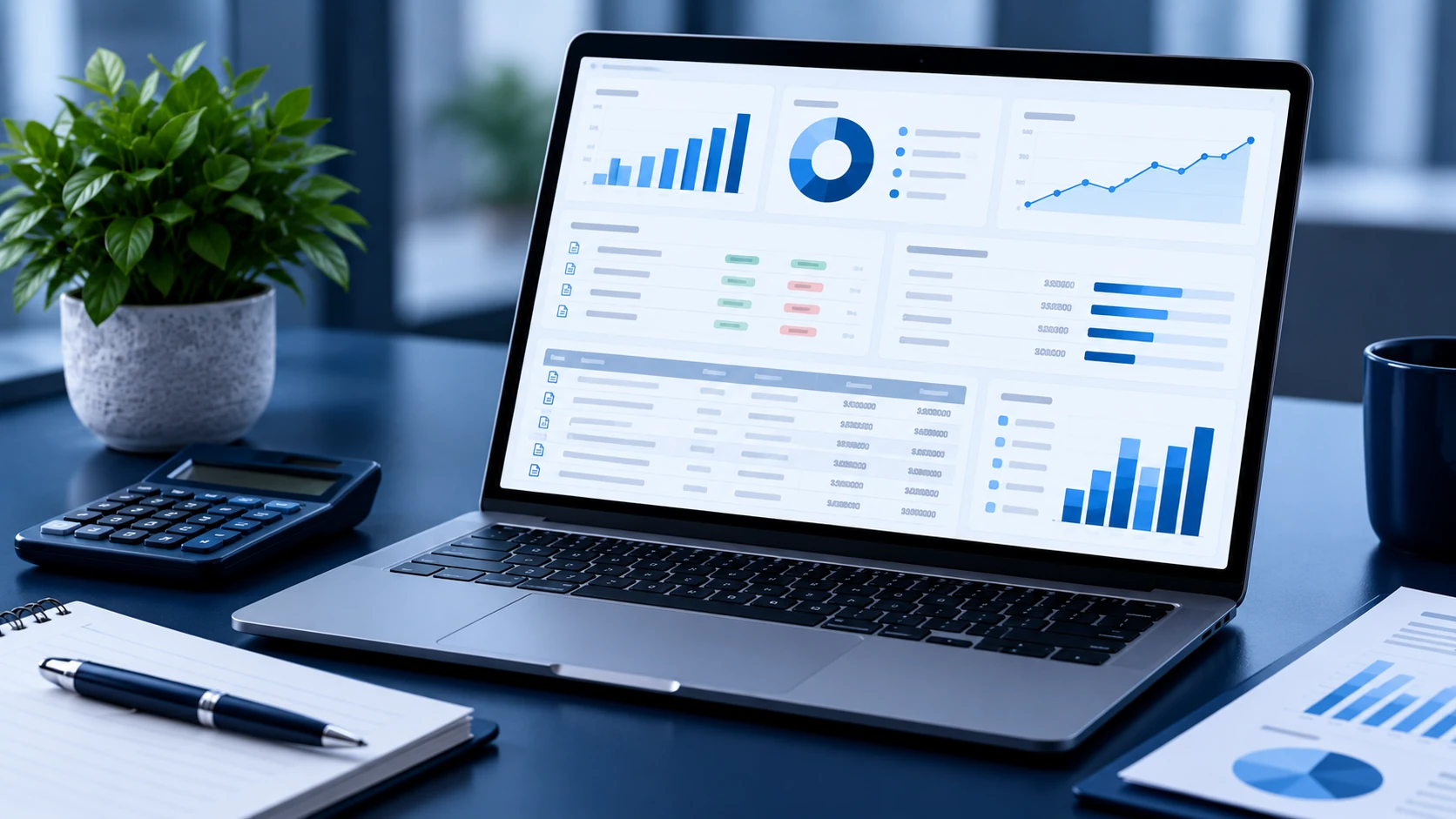
Accounting software keeps your sales, costs and bank transactions in one set of records, so the numbers your accountant uses at year end are the same ones you check during the year.

  • Invoicing

    Create branded invoices with your VAT number, send them by email and see which are paid, due or overdue.

  • Recurring invoices

    Set a monthly retainer, rent or service fee to invoice itself on schedule instead of copying last month's invoice.

  • Expense tracking

    Record supplier bills and receipts, often by photographing them, so costs and VAT on purchases are not missed.

  • Bank reconciliation

    Match every bank transaction to an invoice, bill or expense so your records agree with the bank statement.

  • VAT records

    Apply the right VAT rate to each sale and purchase, and total them by period for your VAT return.

  • Financial reports

    Run profit and loss, balance sheet and aged debtor reports at any point, not just when the accounts are done.

  • Cash-flow visibility

    See what is owed to you and what you owe, and when, so a large bill or slow payer is not a surprise.

  • Accountant access

    Give your accountant a login to the same records instead of sending spreadsheets and bank statements.

Accounting software for Irish VAT

If your business is registered for VAT, Revenue expects you to keep full and true records of your VAT transactions, with sales and purchases recorded at their VAT rates. You file VAT returns (the VAT 3) through Revenue Online Service (ROS), and most VAT-registered businesses also file an annual Return of Trading Details (RTD).

Recording VAT as you go
Each invoice and bill carries a VAT rate. The software works out the VAT and keeps a running total of VAT on sales and VAT on purchases, instead of you adding it up at the end of the period.
VAT-inclusive and VAT-exclusive amounts
You can usually enter prices with or without VAT. A café pricing at the till will think VAT-inclusive; a contractor quoting a day rate will usually quote plus VAT. The software shows net, VAT and gross either way.
VAT reports
A VAT report totals your sales and purchases by rate for the period, which is the starting point for the VAT 3. Some packages also prepare figures for the annual RTD.
Preparing to file
Check how the software gets figures to Revenue. For example, Xero says it prepares the VAT 3 and RTD and exports them for submission through ROS. You or your accountant still file and pay. Our guide to accounting software for VAT covers returns, rates and records in more detail.

Bank feeds and reconciliation

A bank feed brings your business bank transactions into the accounting software automatically, usually daily. It is the feature that saves the most time for most small businesses, because it replaces typing in or uploading bank statements.

  1. Connect your account

    You authorise the connection from inside the software, through your bank's own login. Some providers name the Irish banks they connect to; check yours is listed.

  2. Transactions import

    Payments in and out appear in the software with the date, amount and bank reference. Where no feed is available, most packages accept an uploaded statement file.

  3. Match each one

    The software suggests a match: a customer payment against its invoice, a direct debit against a supplier bill. Rules can code recurring items such as rent or phone bills.

  4. Reconcile

    When everything is matched, your records agree with the bank balance. Unmatched items stand out, which is how missing invoices and duplicate payments get caught.

Reconciling weekly takes minutes; leaving it until the VAT return or year end means working through months of transactions from memory. If you take card payments, connecting your payment provider as well lets payouts be matched to the sales behind them.

Invoicing and getting paid

Invoicing is where accounting software pays for itself fastest: invoices go out sooner, look consistent and are easier to chase. Check how each package handles the parts of billing you do most, or see our guide to invoicing software if invoicing is most of what you need.

Creating invoices
Build an invoice from saved customers and products, with your logo, VAT number and payment terms, and send it by email from the software. Quotes can often be turned into invoices once accepted.
Recurring invoices
For retainers, rent or subscriptions, a recurring invoice goes out on the same day each month without anyone remembering to send it.
Payment reminders
Automatic reminders before and after the due date do much of the chasing for you, and the aged debtors report shows who owes what.
Online payment links
Many packages connect to a card payment provider so a "Pay now" link appears on the invoice and the payment is matched when it arrives. Compare card payment providers for the fees involved.
Credit notes
To correct or cancel an invoice once issued, you raise a credit note rather than deleting it, so your VAT and sales records stay complete. See Revenue's guidance on credit notes.
Customer records
Each customer's contact details, invoices, payments and balance sit in one place, which helps with statements, disputes and repeat work.

Payroll and employees

Paying employees means calculating pay, tax and deductions and reporting them to Revenue. Accounting packages handle this in different ways, so check before assuming payroll is covered.

  • Option 1

    Accounting software only

    Records sales, costs, VAT and bank transactions. Wages appear as a cost, but the software does not calculate pay or deductions. Suits businesses with no employees, or where an accountant or bureau runs payroll.

  • Option 2

    Separate payroll software

    A dedicated payroll product or bureau calculates pay, tax and deductions and reports to Revenue. Totals are then posted into the accounts, by hand or through an integration.

  • Option 3

    Accounting with a payroll add-on

    Some providers sell payroll alongside their accounting product. It is usually a separate subscription; Sage, for example, says payroll can be added separately to Sage Accounting.

None of the four providers compared above lists payroll as included in the accounting plans we checked. If you employ staff, ask the provider how payroll works for Irish employers and what it costs.

Sole traders and small limited companies

The software is largely the same; what you need from it differs. This is general information, not tax or accounting advice for your business.

Sole traders

  • Simple invoicing and a clear list of who has paid
  • Expenses and receipts recorded as you go, not in a bag at year end
  • Bank matching, ideally on a separate business account
  • VAT tools if you are registered for VAT
  • Totals for your income tax return, which you or your accountant prepare

A single-user entry plan is often enough. The main risk is mixing personal and business spending, which a separate account and a bank feed make much easier to avoid. Our guide to accounting software for sole traders covers what to prioritise and what can wait.

Small limited companies

  • Full double-entry records that support annual financial statements
  • A balance sheet, including directors' loan accounts
  • Accountant access for year-end adjustments and accounts
  • More than one user if staff raise invoices or pay bills
  • Payroll once directors or staff are paid through PAYE

Companies usually need more from reporting and user access, so check that the entry plan covers the balance sheet and the number of logins you need.

Working with your accountant or bookkeeper

Cloud accounting works best when you and your accountant use the same file. Instead of posting a folder of statements and spreadsheets at year end, you invite them in and they work on the live records.

Ask your accountant which package they already support before you choose. Many firms work across several, but a practice that knows your software will usually get through year-end work faster.

  • Inviting your accountant

    Most packages let you add your accountant as a user. Check whether that login counts towards your plan's user limit.

  • One shared set of records

    Invoices, bills and bank transactions are entered once, in one place, and everyone sees the same figures.

  • Reconciliation and review

    A bookkeeper can reconcile the bank and fix miscoded items during the year, not months later.

  • Year-end work

    Your accountant can post adjustments and run reports directly, which cuts the back and forth.

  • No duplicate files

    No more competing spreadsheets or emailed copies, and no doubt about which version is current.

Switching accounting software

Moving from spreadsheets or another package is manageable with a plan. Pick the date you will switch, then bring across what you need to carry on trading without losing history. Your accountant can help with the opening figures.

  1. Choose a changeover date

    The start of a VAT period or financial year is cleanest, because reports in each system then cover whole periods.

  2. Set opening balances

    Bank balances, amounts owed to and by you, and balance-sheet figures as at the changeover date, ideally agreed with your accountant.

  3. Import customers and suppliers

    Most packages accept contact lists by file, so you are not re-typing names, addresses and VAT numbers.

  4. Carry over unpaid invoices and bills

    Bring in each open item individually so payments can be matched when they arrive.

  5. Decide on historical transactions

    Some businesses import full history; many bring summary balances and keep the old system for reference.

  6. Check VAT records

    Finish and file the VAT return for the last period in the old system, and set up VAT rates in the new one before the first invoice.

  7. Payroll records, where applicable

    If payroll moves too, bring year-to-date pay and deduction figures for each employee.

Accounting software in Ireland

Cloud accounting is already mainstream among Irish businesses. In the CSO's Information Society Statistics – Enterprises 2025, 52.9% of enterprises surveyed used cloud-based finance or accounting software.

New companies keep arriving too: the Companies Registration Office recorded 26,533 new company incorporations in its 2025 annual report. Setting up proper records from the first invoice is far easier than rebuilding them before the first set of annual accounts.

  • 53%

    of enterprises in the CSO survey used cloud finance or accounting software (52.9%)

  • 26,533

    new companies incorporated, CRO Annual Report 2025

CSO figures cover enterprises with 10 or more persons employed. Sources: CSO, Information Society Statistics – Enterprises 2025; CRO, Annual Report 2025.

Accounting software: frequently asked questions

What is the best accounting software for a small business in Ireland?

There is no single best option. The right package depends on your VAT position, how many people need access, whether you need multi-currency, inventory or payroll, and which software your accountant uses. Compare the providers above on the features you would use, then try your shortlist with real invoices and bank transactions. If you are deciding between two of the most common options, see Xero vs QuickBooks for Irish businesses.

Do sole traders need accounting software?

It is not a legal requirement, but you do need accurate records of income and expenses, and of VAT if you are registered. Many sole traders find software with invoicing and a bank feed quicker and more reliable than spreadsheets, especially once they have regular customers. See accounting software for sole traders.

Can accounting software help with VAT?

Yes. It applies VAT rates to invoices and bills, keeps running totals and produces VAT reports for each period. Some packages prepare figures for the VAT 3 and RTD. You remain responsible for using the correct rates and for the return you file.

Does accounting software replace an accountant?

No. It replaces much of the manual bookkeeping, but it does not prepare statutory accounts, give tax advice or decide how a transaction should be treated. Most businesses that use software still use an accountant, who works in the same records.

Can I give my accountant access to my accounting software?

Usually, yes. All four providers compared here offer some form of accountant or multi-user access, though details differ: some plans include an accountant login on top of your user limit, others count it. Check the plan before you invite them.

Can I switch accounting software during the year?

Yes. Switching at the start of a VAT period keeps your VAT reports cleanest, and the start of a financial year is simplest of all. Mid-year works too if you carry over opening balances and unpaid invoices. See switching accounting software above.

Accounting software guides

Practical guides to help you work out what you need from accounting software before choosing a package.

FEATURED GUIDE

Xero vs QuickBooks Ireland

How two of the most common packages structure their Irish plans, and what that means for users, VAT, multi-currency, stock and cost after the offer ends.

  • Plan structure and first-year cost
  • VAT 3, RTD, bank feeds and accountant access
  • Which structure suits which kind of business
Read the guide: Xero vs QuickBooks Ireland

Compare accounting software for your business

Look at how you actually manage invoices, VAT, banking and reporting, and who needs access. Then compare plans on price, users and the features you would use, not the longest feature list.

Compare accounting software

Looking for other business services? Return to the Stuama.ie homepage to compare card payments, business websites and business insurance.